The Yanhua Mini ACDP/ACDP2 provides a bench-mode solution for working with BMW Bosch DMEs, including B48, B58 and other gasoline and diesel ECUs. This guide covers DME operations for both pre-June 2020 ECUs and locked post-June 2020 ECUs.
Whether you need to read an ISN, back up ECU data, clone an ECU, or perform EEPROM/FLASH read and write operations, the required hardware and software license depend on the DME generation.
Hardware and License Requirements
1. Pre-June 2020 BMW DMEs
For BMW DMEs produced before June 2020, the required hardware and license depend on the operation you want to perform.
ISN Reading
You need:
ECU Cloning
You need:
- Yanhua B48/B58 Interface Board
- BMW ECU Clone License
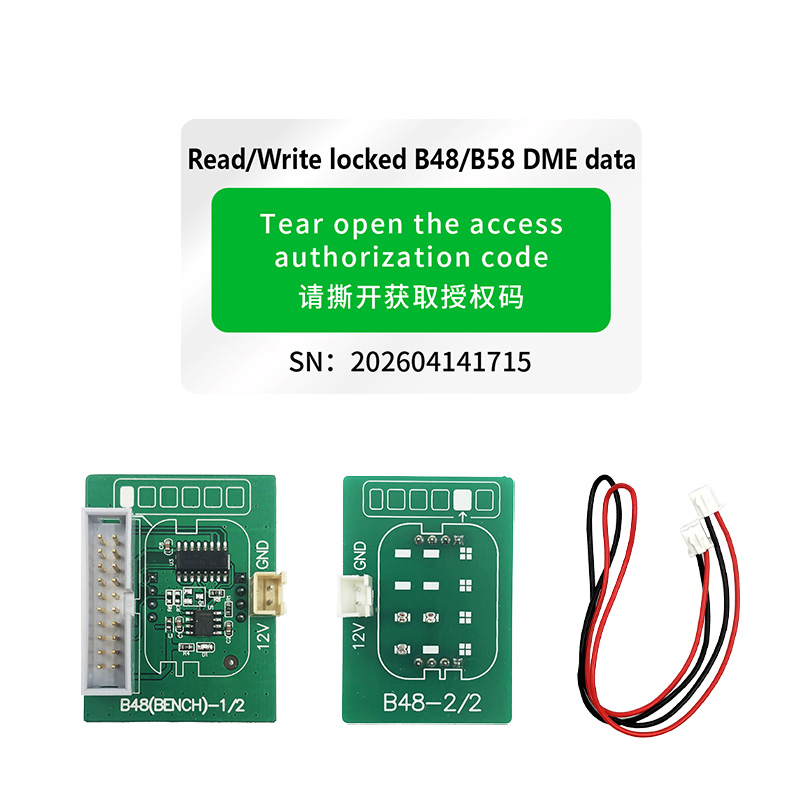
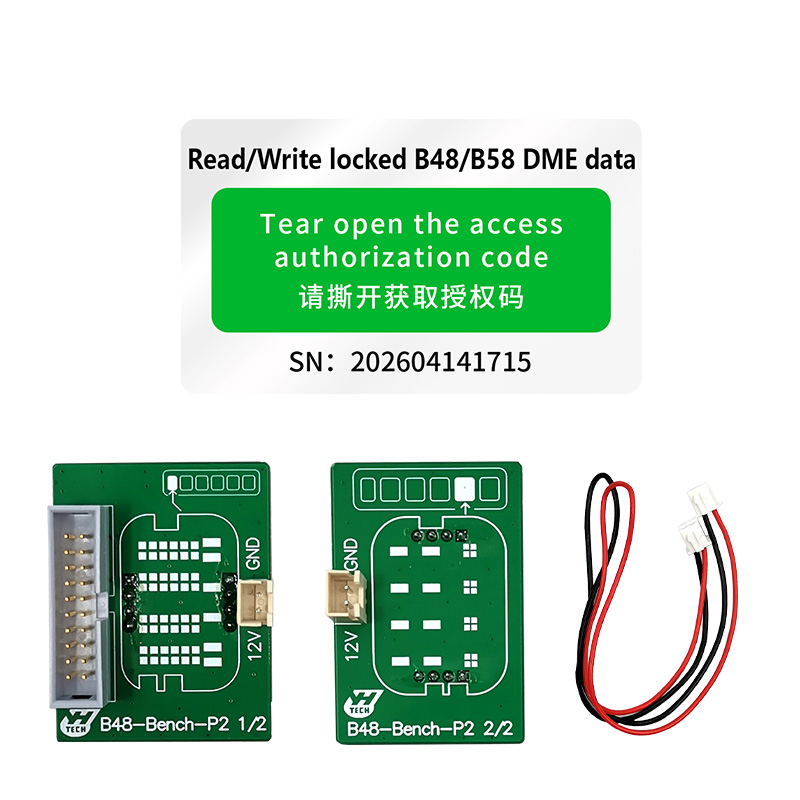
Important: ACDP and ACDP-2 use different interface boards. Make sure you select the correct version for your programmer.
- SK337 — for Yanhua Mini ACDP
- SK337-B — for Yanhua Mini ACDP-2
Supported Pre-June 2020 DME Models
F-Series
- B37 — MD1CS001
- B38 — MD1CS001
- B48 — MG1CS003 / MG1CS201
- B58 — MG1CS003
G-Series
- B46 — MG1CS201
- B47 — MD1CP002 / MD1CS001
- B48 — MG1CS003 / MG1CS201
- B57 — MD1CP002
- B58 — MG1CS003 / MG1CS201
- N63 — MG1CS201
- N74 — MG1CS003 / MG1CS201
R-Series
- B37 — MD1CS001
- B48 — MG1CS201
2. Post-June 2020 Locked BMW DMEs
For locked BMW DMEs manufactured after June 2020, ISN reading and ECU cloning require:
If you already have the compatible interface board, you can purchase the additional A520 license YANHUA license for Read/ Write Locked B48/ B58 DME Data and provide your ACDP serial number to your dealer for activation.
Supported Locked DME Models
The A520 solution supports the following Bosch DME types:
- MD1CP032 — TC299
- MD1CS001 — TC298
- MG1CS024 — TC298
- MG1CS049 — TC298
- MG1CS201 — TC298
Connection and Bench Operation
After connecting the DME to the appropriate B48/B58 interface board, the Yanhua Mini ACDP/ACDP2 can perform different operations depending on the selected DME and activated license.
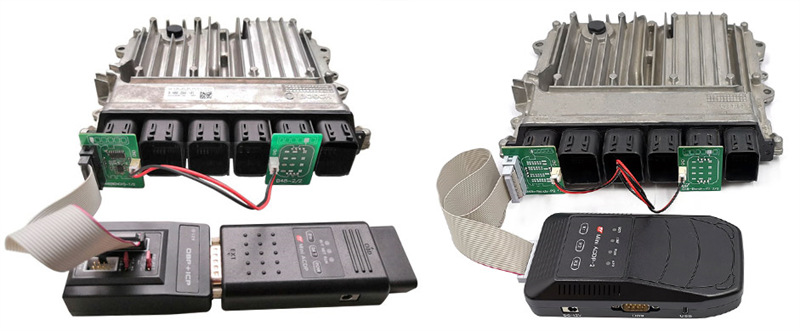
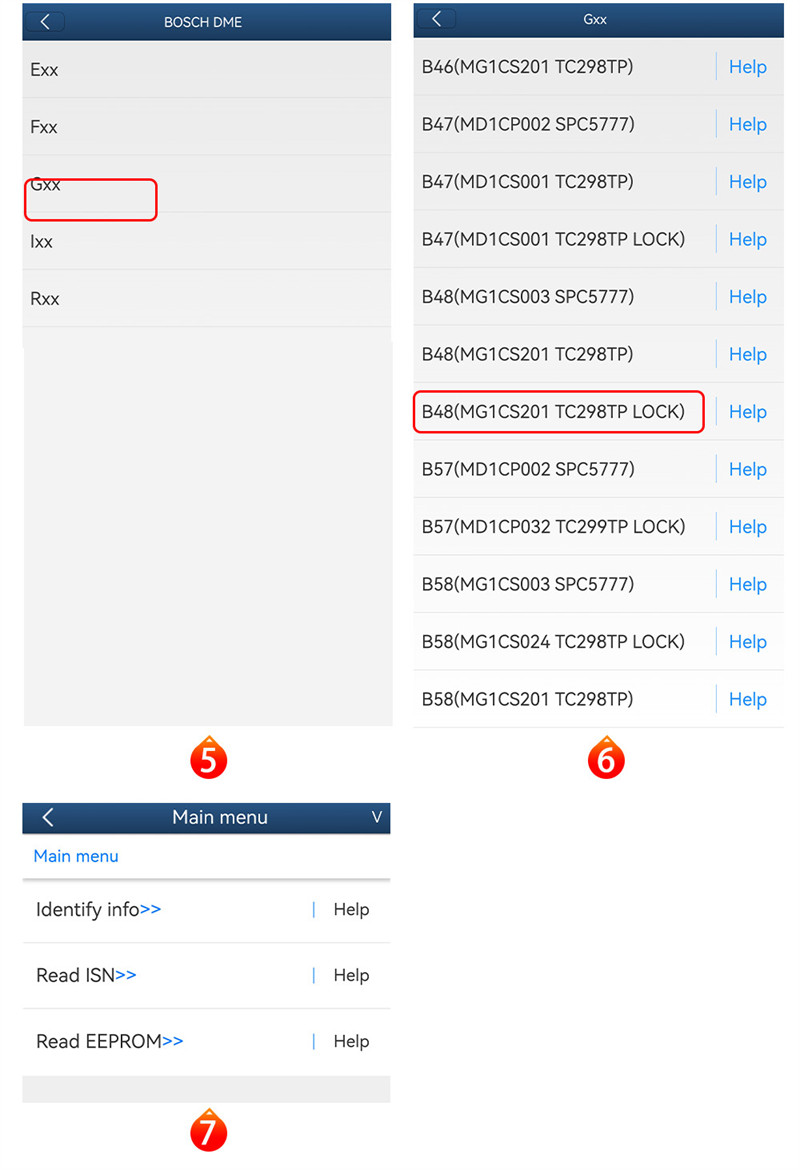
Step 1: Read BMW DME ISN
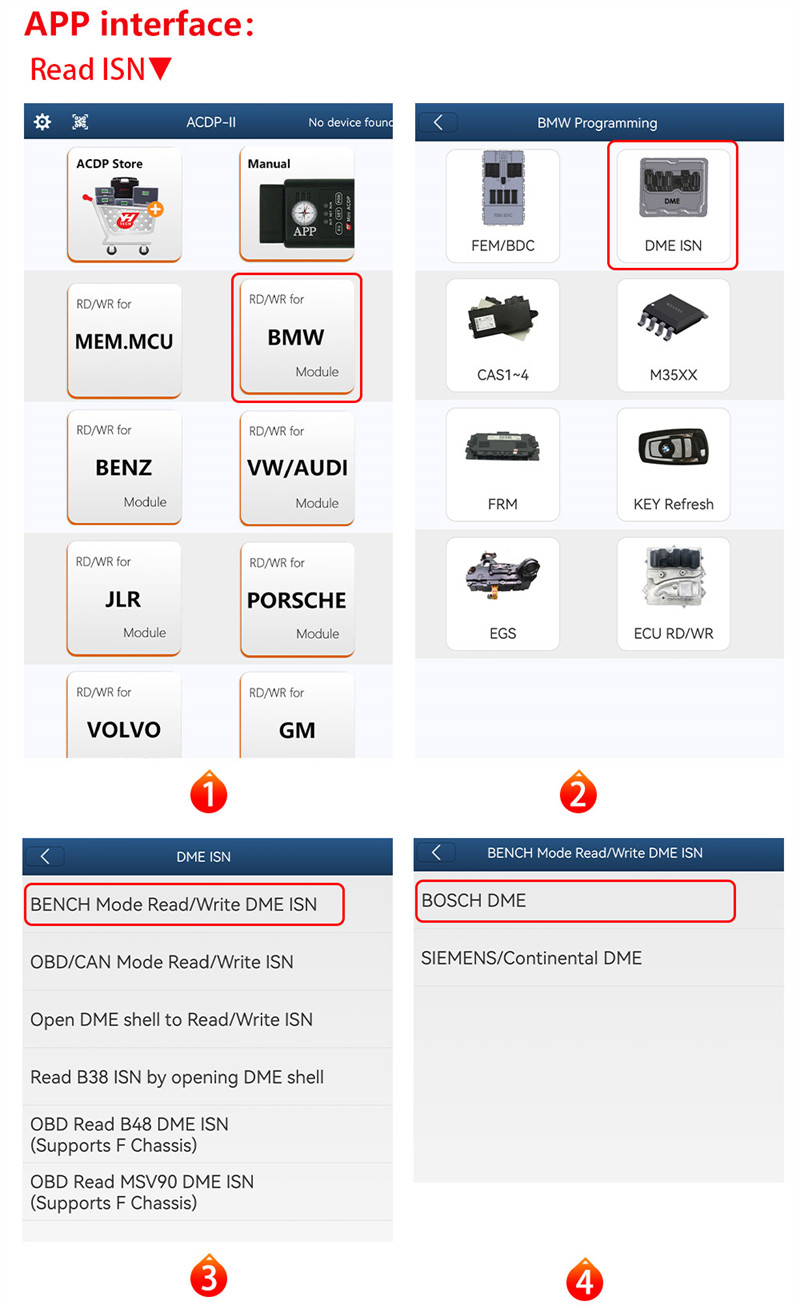
Navigate through:
BMW → DME ISN → BENCH Mode Read/Write DME ISN → BOSCH DME
Select the corresponding DME type according to the ECU being serviced. For example:
G-Series → B48 (MG1CS201 TC298TP LOCK)
Available functions may include:
- Identify Info
- Read ISN
- Read EEPROM
The bench connection allows the DME to be accessed directly without installing it in the vehicle.
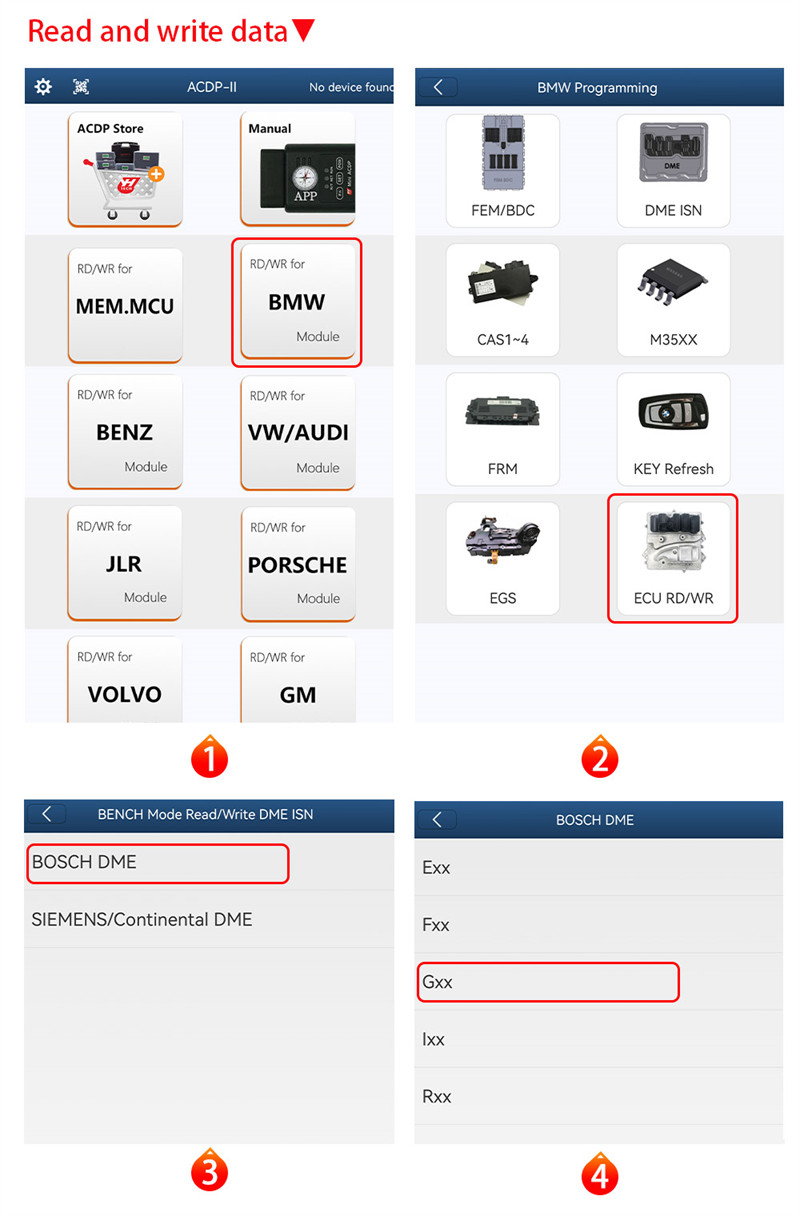
Step 2: Read and Write Full ECU Data
For full ECU data operations, follow:
BMW → ECU RD/WR → BOSCH DME
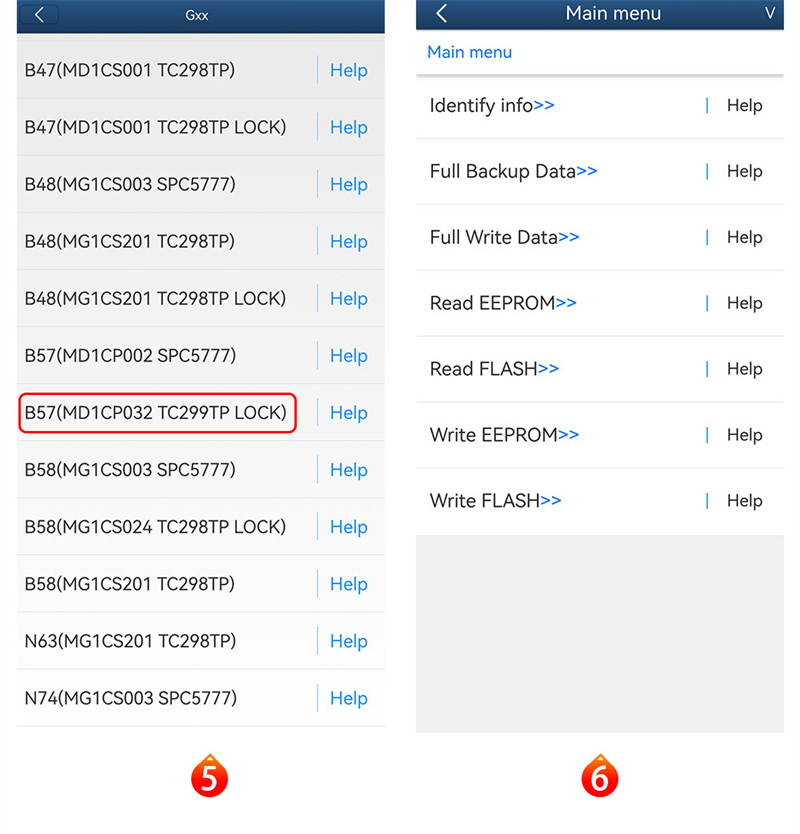
Select the appropriate DME model. For example:
G-Series → B57 (MD1CP032 TC299TP LOCK)
Depending on the DME, available functions include:
- Identify Info
- Full Backup
- Full Write
- Read EEPROM
- Write EEPROM
- Read FLASH
- Write FLASH
Conclusion
The Yanhua Mini ACDP/ACDP2 with the appropriate B48/B58 interface board and software authorization provides bench-mode access to a range of BMW Bosch DMEs. Support varies according to the ECU generation, processor type, production date, and activated license.
Before starting an operation, verify the exact DME model, processor, interface-board version, and required license to ensure compatibility and avoid interruptions during ECU data operations.